January 2, 2026
How to Check If Something is Halal With an App (The 2026 Guide)
You are standing in the grocery aisle. You pick up a new snack that looks delicious. You flip it over, and your heart sinks. The ingredient list is a mile long, full of chemical names and E-numbers you don’t recognize.
You pull out your phone and type into Google: “How to check if something is halal app?”
You are not alone. Millions of Muslims face this daily anxiety. The good news is that technology has finally caught up with the complexities of modern food production.
But not all Halal checker apps work the same way. In fact, the most common method is often the least reliable.
Here is your definitive guide on how to actually use your phone to verify if a product is Halal, and why the technology you choose matters.
The Two Ways Apps “Check” for Halal
When you download a Halal scanner app today, you are getting one of two very different technologies. Understanding the difference is the key to avoiding Haram ingredients.
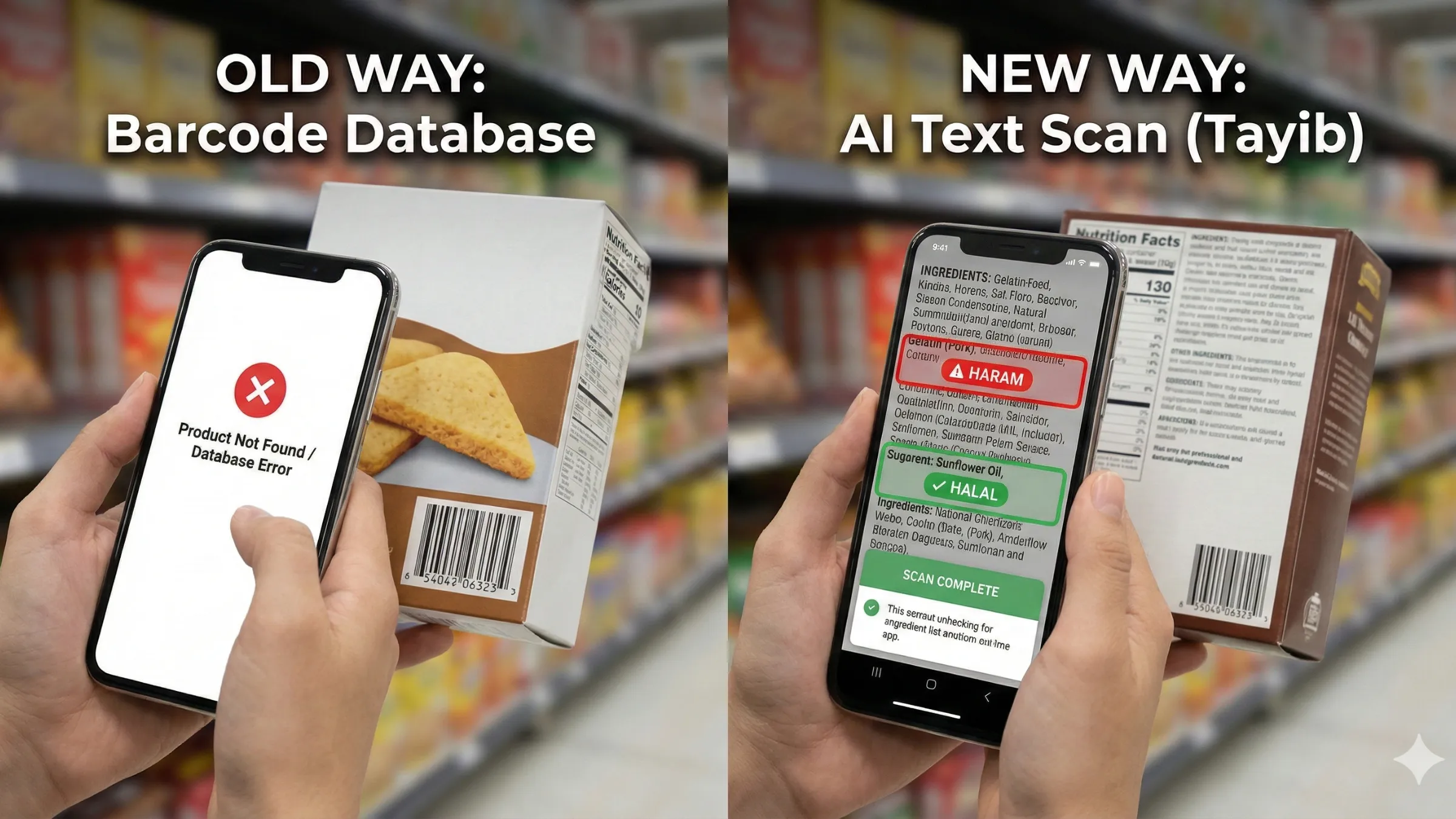
Method 1: The Old Way (Barcode Scanning)
This is what 90% of apps on the market do today.
How to use it:
- Open the app and find the barcode scanner.
- Point your camera at the black-and-white UPC/EAN code on the package.
- The app searches a massive database for that specific number.
- It returns a result based on what someone manually entered into that database previously.
The Problem: A barcode tells you what the product is, not necessarily what’s inside it right now. If recipe changes unannounced (like adding gelatin to yogurt), the barcode remains the same, but the database entry is now wrong. Furthermore, if you are traveling or buying imported goods—like popular Korean noodles—the barcode often won’t be in their database at all.
Method 2: The New Way (AI Text Scanning)
This is the modern approach, used by next-generation apps like Tayib. It doesn’t rely on outdated databases. It reads like a human does, but faster.
How to use it:
- Open the app and select the camera mode.
- Point your camera at the ingredient list (the fine print), NOT the barcode.
- Artificial Intelligence (OCR) reads the actual text in real-time.
- It cross-references every single word against thousands of known Halal and Haram substances instantly.
The Advantage: It works on everything. A local bakery cookie with a sticker label? An imported soda with ingredients in a foreign language? As long as there is text, the AI can read it and analyze tricky ingredients like hidden alcohol carriers or sneaky animal-based colorants like E120 (Carmine).
Stop Scanning Barcodes. Start Reading Ingredients.
Switch to Tayib, the AI-powered scanner that reads what is actually in your hand right now.
Download the Tayib AI ScannerStep-by-Step: How to Check a Product in 10 Seconds
When you are in a rush at the supermarket, you don’t have time to fiddle with settings. Here is the fastest workflow using an AI scanner like Tayib.
Step 1: Locate the Ingredients
Ignore the front of the box. Ignore the “Vegan” or “Vegetarian” logos—as we’ve discussed, vegetarian does not always mean Halal. Find the small print on the back.
Step 2: Steady and Scan
Hold your phone steady so the text is clear. Good lighting helps. The app will highlight the text as it recognizes it.
Step 3: Review the “Yellow” Flags
A good app won’t just say “Haram”. It will identify Mushbooh (doubtful) ingredients. For example, it might flag “Mono- and diglycerides” or “Natural Flavors.” This is your cue. These ingredients could be from animals, or they could be from plants.
If you see too many yellow flags on a product that isn’t certified, it’s often best to leave it on the shelf.
Conclusion
So, how do you check if something is halal with an app?
You stop relying on apps that just match numbers, and you start using apps that actually read ingredients. The technology in your pocket is powerful enough to take the guesswork out of grocery shopping.
Use the tool that gives you the most current, accurate information possible.

Written by Tayib
Founder & Halal Food Analyst
Tayib is dedicated to making Halal consumption transparent and stress-free. Through rigorous ingredient analysis, E-number decoding, and direct contact with brands, we help the Muslim community make informed and safe choices every day.
Read our strict verification methodology